How to build and deploy a voice agent using Pipecat and AssemblyAI
Ship voice AI agents with millisecond latency using Pipecat and AssemblyAI's Universal-Streaming. This complete tutorial walks you through setup, real-time transcription, testing, and cloud deployment.

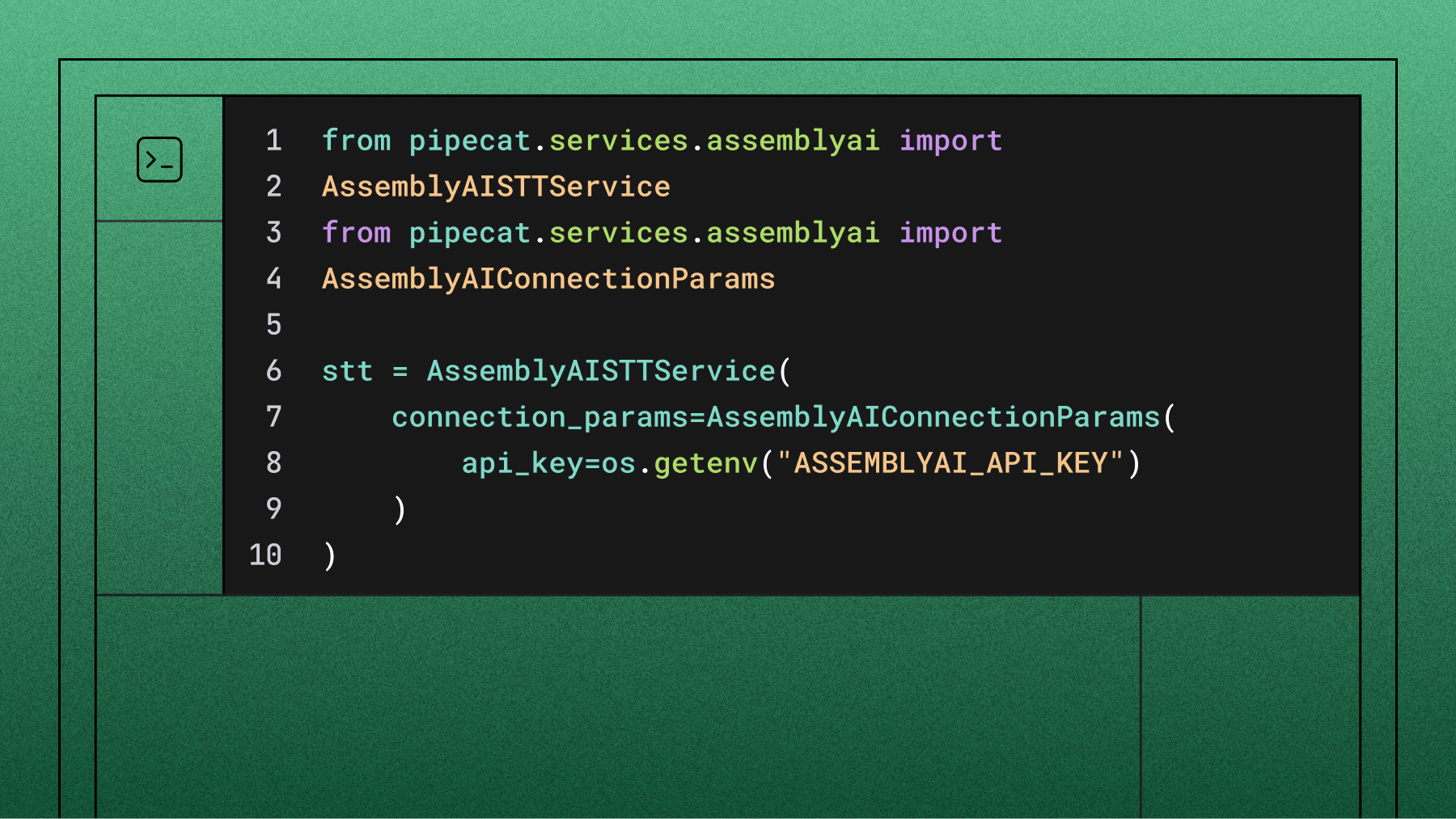

Pipecat is an open-source orchestration framework for real-time voice agents, and AssemblyAI plugs into it as the speech-to-text layer in a single line of configuration. This guide walks through building a working voice agent on Pipecat with AssemblyAI's Universal-3.5 Pro Realtime model, choosing between the streaming and Sync speech-to-text services, tuning turn detection and accuracy, and deploying the finished bot to Pipecat Cloud. It also covers the two failures that trip up most first deployments: the transcript handler messages error and the ARM64 image requirement.
Everything below assumes you want to own the pipeline — pick your own LLM, your own TTS, your own transport. If you'd rather not assemble those pieces, skip to Pipecat or the Voice Agent API at the end.
Understanding the architecture
A Pipecat voice agent is a cascading pipeline. Audio enters at one end, passes through a series of specialized services, and leaves as synthesized speech at the other. Each stage does one job and hands off to the next:
- Transport — Daily (or a local WebRTC transport) captures microphone audio and plays back the agent's response.
- Speech-to-text — AssemblyAI transcribes the user's audio and decides, or helps decide, when the user has finished a turn.
- Context aggregation — Pipecat assembles the transcript into a conversation history the LLM can reason over.
- LLM — OpenAI, Anthropic, or any model Pipecat supports generates the reply.
- Text-to-speech — Cartesia, ElevenLabs, or another TTS service synthesizes the reply as audio.
The value of this shape is that every stage is swappable. You are not locked into a vendor's bundled stack, and you can replace the LLM without touching the STT configuration. The cost is that latency, turn-taking and error handling are now yours to manage. Most of this guide is about managing them well. For a deeper treatment of how these components interact, see our breakdown of voice agent architecture.
The speech-to-text stage carries more weight than its position in the list suggests. It sets the floor on latency, and every entity it mishears — a name, an order number, an email address — propagates into the LLM's context as fact. That is why entity accuracy, not raw word error rate, is usually the number that decides whether an agent works in production.
Choosing your STT service
AssemblyAI ships two speech-to-text services for Pipecat, and picking the right one is the first real architectural decision you'll make.
AssemblyAISTTService holds an open WebSocket for the life of the conversation. Audio streams continuously, partial transcripts come back as the user speaks, and end-of-turn detection happens server-side or via Pipecat's VAD. This is what you want for open-mic conversation — a caller who can interrupt, trail off, or change their mind mid-sentence.
AssemblyAISyncSTTService posts a completed audio clip and gets a transcript back in one HTTP round trip. There is no session to manage and no connection to keep alive. This is what you want when you decide where a turn ends — push-to-talk, command-and-control, dictation, IVR-style prompts, or any interface where the user signals completion explicitly.
If you are unsure, start with the streaming service. It is the general-purpose choice, and it is the one the rest of this guide builds on. The Sync section below covers the swap when you need it.
Prerequisites and setup
You need:
- Python 3.10 or higher
- UV, the package manager Pipecat's tooling expects
- Docker Desktop, for building the deployment image
- A terminal with shell access
Note that Pipecat Cloud runs on ARM64. If you are on an x86 machine, you will need Docker's buildx to cross-compile — covered in the deployment section.
Scaffold a project:
mkdir pipecat-voice-agent && cd pipecat-voice-agent
uv tool install pipecatcloud
pcc auth login
pcc init
pcc init generates the project skeleton: a bot.py with a starter pipeline, a requirements.txt, an env.example, and a pcc-deploy.toml that describes how the agent gets deployed.
Create the environment and install dependencies:
uv venv
uv pip install -r requirements.txt
Universal-3.5 Pro Realtime, automatic conversation context, and Voice Focus require pipecat-ai 1.4.0 or newer. If you scaffolded from an older template, upgrade before you go further:
uv pip install -U "pipecat-ai[assemblyai,openai,cartesia]"
Older versions will not recognize the universal-3-5-pro model string, and the failure mode is an unhelpful validation error rather than a clear message.
Configuring API keys
This build uses four services. Copy the template and fill it in:
cp env.example .env
Keep .env out of version control. You will upload it to Pipecat Cloud as a secret set later, not bake it into the image.
Implementing AssemblyAI speech recognition
Import the streaming service and configure it:
import os

from pipecat.services.assemblyai.stt import AssemblyAISTTService

stt = AssemblyAISTTService(
    api_key=os.environ["ASSEMBLYAI_API_KEY"],
    settings=AssemblyAISTTService.Settings(
        model="universal-3-5-pro",
        mode="balanced",
    ),
    vad_force_turn_endpoint=True,
)
Two things are worth calling out. model must be set explicitly — the plugin's default is not necessarily the model you want. And mode is the highest-level dial you have; more on it in a moment.
Then place the service in the pipeline. Order matters, and getting it wrong is the single most common source of "my transcripts aren't showing up" reports:
from pipecat.pipeline.pipeline import Pipeline

pipeline = Pipeline(
    [
        transport.input(),     # Microphone audio in
        stt,                   # Speech-to-text
        user_aggregator,       # Builds the user half of the LLM context
        llm,                   # Reasoning
        tts,                   # Speech synthesis
        transport.output(),    # Audio out
        assistant_aggregator,  # Assistant half → feeds conversation context back to STT
    ]
)
The STT service must sit before the user context aggregator, because the aggregator's job is to turn transcribed text into LLM context. If STT comes after it, the aggregator has nothing to aggregate.
The assistant_aggregator at the end is not decorative. It is what makes conversation context work automatically — see Context Carryover below.
Turn detection: who decides the user is finished
vad_force_turn_endpoint picks which component owns the turn boundary.
Pipecat mode (True, the default) hands turn-taking to Pipecat's local VAD and Smart Turn analyzer. When VAD detects silence, Pipecat sends a force-endpoint signal to AssemblyAI and the transcript finalizes immediately. Use this when you want the framework to own turn-taking, or when you're migrating from a setup where you already had your own turn logic.
AssemblyAI's built-in turn detection (False) hands the decision to the model. Universal-3.5 Pro Realtime reads tonality, pacing and rhythm — not silence alone — to determine whether a speaker has actually finished, and lands an end-of-turn decision in roughly 300 milliseconds. This is the better choice when your callers pause mid-sentence to think, or when a silence-only heuristic keeps cutting them off.
stt = AssemblyAISTTService(
    api_key=os.environ["ASSEMBLYAI_API_KEY"],
    settings=AssemblyAISTTService.Settings(
        model="universal-3-5-pro",
        min_turn_silence=100,
        max_turn_silence=1000,  # Respected independently in this mode
    ),
    vad_force_turn_endpoint=False,
)
min_turn_silence is how long the model waits before running a speculative end-of-turn check; max_turn_silence is the hard ceiling after which the turn ends regardless. In Pipecat mode, max_turn_silence is synchronized to min_turn_silence automatically, so you only tune the one value.
There is a real tradeoff here. Set these too low and the model splits entities across turns — an email address becomes three separate transcripts. Set them too high and the agent feels sluggish on short answers. If your agent takes dictated entities like order numbers or email addresses, widen the window during those stretches and narrow it again afterward.
Modes instead of flag-tuning
The individual timing flags still work, but they are no longer where you should start. mode sets sensible defaults across all of them:
settings=AssemblyAISTTService.Settings(
    model="universal-3-5-pro",
    mode="max_accuracy",  # "min_latency" · "balanced" (default) · "max_accuracy"
)
Pick the preset that matches what your agent is for — min_latency for fast conversational back-and-forth, max_accuracy for entity-heavy calls where a wrong digit is expensive — then fine-tune only if the preset doesn't get you there. Any value you set explicitly still overrides the preset. mode is construction-time only.
Context Carryover and agent_context
If you have built voice agents before, you have probably hand-rolled some version of this: the bot asks "what's your email address?", the user answers, and the STT model — which has no idea a question was asked — returns "user at assemblyai dot com" instead of an address.
Universal-3.5 Pro Realtime solves this natively. The model keeps a short rolling memory of both halves of the conversation: what your agent just said, and the user's prior finalized turns. With the question in context, it can anticipate the shape of the answer, sharpen entity recognition, and disambiguate similar-sounding words.
Across a benchmark of 20,000 voice agent audio files, passing the agent's own turn into the model cut word error rate by 10.2%. The gains concentrate exactly where voice agents break: fabrications dropped 18.3%, hallucinations 17.2%, place-name entities 15.5%, and short-utterance errors 13.7%.
In Pipecat this is automatic. As long as your pipeline includes the standard assistant_aggregator, Pipecat broadcasts each completed bot turn and the STT service feeds it to the model as agent_context. No event wiring required.
The one thing worth doing by hand is seeding the opening greeting, since the automatic feed only kicks in after your agent's first turn completes:
stt = AssemblyAISTTService(
    api_key=os.environ["ASSEMBLYAI_API_KEY"],
    settings=AssemblyAISTTService.Settings(
        model="universal-3-5-pro",
        agent_context="Hi, thanks for calling Acme. What's the email on your account?",
        # previous_context_n_turns=5,  # Set 0 to disable carryover entirely
    ),
)
If your pipeline doesn't use the standard aggregator, push context yourself. This is a live update — no reconnect, no dropped audio:
await stt.update_agent_context("Your account is past due. Would you like to pay now?")agent_context is the only setting applied live. Changing anything else mid-session reconnects the AssemblyAI stream, which costs you a brief interruption.
Voice Focus for noisy environments
If your agent runs anywhere other than a quiet room with a headset, background noise will cost you accuracy. The instinct is to run noise cancellation client-side before audio leaves the device. Don't — the artifacts that introduces usually hurt the model more than the original noise did.
Use server-side Voice Focus instead. It isolates the primary speaker and suppresses chatter, keyboard clicks, fan hum and room echo before audio reaches the model:
settings=AssemblyAISTTService.Settings(
    model="universal-3-5-pro",
    voice_focus="far-field",    # "near-field" for headsets and handsets
    voice_focus_threshold=0.5,  # Optional: 0.0–1.0, higher = more aggressive
)
Use near-field for headsets, handsets and other close-talking mics. Use far-field for conference rooms, kiosks, drive-thrus and laptop mics. Both are construction-time parameters.
Logging transcripts
Pipecat's TranscriptProcessor gives you a live view of both sides of the conversation, which is the fastest way to see whether your STT configuration is doing what you think:
@transcript_processor.event_handler("on_transcript_update")
async def on_transcript_update(processor, frame):
    for message in frame.messages:
        print(f"{message.role}: {message.content}")
The handler receives a frame whose .messages attribute holds the transcript entries, each with .role and .content. This is where the most-reported error in this whole setup shows up — see Testing locally.
Using the Sync API in Pipecat
Not every voice interface needs an open microphone. Push-to-talk apps, IVR prompts, dictation fields, drive-thru order confirmations and command-and-control interfaces all share a property: the application already knows when the user finished speaking. In those cases, holding a streaming WebSocket open for the whole session buys you complexity you aren't using.
The Sync API is built for exactly this. You POST a completed audio clip — anything under 120 seconds — as multipart/form-data, and the transcript comes back in the same HTTP response. No polling. No upload step. No session to manage or reconnect.
In production logs, Sync requests land at a p50 of roughly 127ms and an average of roughly 302ms. That's a per-request figure, not an end-of-turn figure, and it sits comfortably inside a conversational latency budget when you already own the turn boundary.
AssemblyAISyncSTTService
The Pipecat integration mirrors the streaming service, so the swap is mostly a one-line change:
import os

from pipecat.services.assemblyai.stt import AssemblyAISyncSTTService

stt = AssemblyAISyncSTTService(
    api_key=os.environ["ASSEMBLYAI_API_KEY"],
    settings=AssemblyAISyncSTTService.Settings(
        model="universal-3-5-pro",
    ),
)
Drop it into the same pipeline slot the streaming service occupied:
pipeline = Pipeline(
    [
        transport.input(),
        stt,                   # Sync STT — you control when audio is submitted
        user_aggregator,
        llm,
        tts,
        transport.output(),
        assistant_aggregator,
    ]
)
Because you own turn detection here, your VAD (or your push-to-talk button, or your DTMF handler) decides when an utterance is complete and hands the buffered audio to the service.
Context is on by default
The Sync service carries conversational context between requests automatically, which is what keeps a stateless HTTP call from behaving worse than a stateful stream on multi-turn dialogue. The preceding turns travel with each request, so the model transcribing "the fourth" knows it follows "which date works for you?"
If you're transcribing unrelated clips — a batch of voice memos, say, rather than one conversation — turn it off:
stt = AssemblyAISyncSTTService(
    api_key=os.environ["ASSEMBLYAI_API_KEY"],
    settings=AssemblyAISyncSTTService.Settings(
        model="universal-3-5-pro",
        max_context_turns=0,  # Disable conversational context carryover
    ),
)
Calling it directly over HTTP
If you want to see the round trip without Pipecat in the way, the API is a single POST. Note that the Authorization header takes the raw key with no Bearer prefix, and the X-AAI-Model header is required on every request:
curl -X POST https://sync.assemblyai.com/transcribe \
  -H 'Authorization: <YOUR_API_KEY>' \
  -H 'X-AAI-Model: universal-3-5-pro' \
  -F 'audio=@sample.wav;type=audio/wav'
For current Sync API rates, see pricing.
When to reach for which
Use Sync when turns are discrete and you own the boundary: push-to-talk, command-and-control, dictation-style input, IVR prompts, or any flow where a button, a keypress or your own VAD signals "done." Use streaming when the mic stays open, users interrupt, and the agent needs partial transcripts to barge in gracefully. Most conversational agents want streaming; most transactional interfaces are better served by Sync.
Testing locally
Run the agent against your local microphone:
env LOCAL_RUN=1 uv run bot.py
The bot should initialize, connect, greet you, and print transcripts as you speak.
Troubleshooting
The frame.messages error
This is the error people search for most, so it's worth spelling out. If your transcript handler raises an attribute error on messages, the handler itself is almost certainly fine. The problem is where the transcript processors sit in the pipeline.
TranscriptProcessor has two halves. The user half must come after stt, because it needs transcribed text to work with. The assistant half must come after transport.output(), because it needs the bot's spoken output. If either is placed upstream of its source, the frame that reaches the handler doesn't carry a populated messages attribute, and the handler fails on the first turn.
Check the pipeline order before you check the handler. It saves an afternoon.
Building and deploying to the cloud
Pipecat Cloud runs agents on ARM64. This is the second gotcha that costs people time: an image built on an x86 laptop with a plain docker build will push successfully and then fail at runtime with an architecture mismatch that doesn't obviously say "architecture mismatch."
On an Apple Silicon machine, a normal build already produces ARM64:
docker build --platform=linux/arm64 -t my-voice-agent .
docker tag my-voice-agent yourdockerhub/my-voice-agent:latest
docker push yourdockerhub/my-voice-agent:latest
On an x86 machine, cross-compile with buildx and push in one step:
docker buildx build --platform=linux/arm64 \
  -t yourdockerhub/my-voice-agent:latest \
  --push .
Set --platform=linux/arm64 explicitly either way. Relying on the default is the failure.
Next, upload your environment as a secret set rather than baking keys into the image:
pcc secrets set my-voice-agent-secrets --file .env
Confirm pcc-deploy.toml points at the right agent name, image and secret set, then deploy:
pcc deploy
Start the agent with a Daily room attached so you can talk to it from a browser:
pcc agent start my-voice-agent --use-daily --api-key YOUR_PIPECAT_API_KEY
The command returns a Daily URL. Open it, allow microphone access, and you're talking to your deployed agent.
Pipecat or the Voice Agent API
Pipecat and AssemblyAI's Voice Agent API solve the same problem from opposite ends, and the honest framing is that they suit different teams — not that one is better.
Choose Pipecat when you want to own the pipeline. You pick the LLM, the TTS voice, the transport and the turn-taking strategy. You can swap any component without renegotiating the others. If you have opinions about your stack — a fine-tuned model, a specific TTS vendor, custom barge-in logic — Pipecat is built for exactly that, and AssemblyAI is a first-class STT service inside it.
Choose the Voice Agent API when you want it handled. It bundles speech-to-text, LLM routing and text-to-speech behind a single WebSocket at wss://agents.assemblyai.com/v1/ws, at a flat $4.50/hr. One connection, one bill, one set of logs, and no orchestration code to maintain. It covers six languages — English, Spanish, French, German, Italian and Portuguese — with native code-switching across all six, and supports session resumption, so a caller who drops off can reconnect within 30 seconds with context intact. It runs on the same Universal-3.5 Pro Realtime model you'd use in Pipecat, so the speech layer is identical either way.
Teams often start with the Voice Agent API to get a working agent in front of users, then move to Pipecat when they need component-level control. Others go the other way. Both are supported paths, and the STT choice you make here transfers. If you're weighing the decision, our overview of AI voice agents walks through the tradeoffs in more depth.
How accurate is it, really
Speech-to-text accuracy in a voice agent is not the same problem as accuracy on clean podcast audio. Real conversations have interruptions, crosstalk, spelled-out entities and background noise, and a single mis-transcribed order number is worse than a dozen mangled filler words.
The Pipecat open STT benchmark measures models on real agent conversations. Lower is better:
Full methodology and additional comparisons are on our benchmarks page.
Teams building on Pipecat are usually running this evaluation themselves before committing. Fireflies did:
"We were searching for the best realtime ASR model for our voice agent pipeline in Fireflies. The new Universal 3.5 Pro speech model from Assembly is best so far in terms of accuracy, latency and language switching."
— Foysal Osmany, Software Engineer at Fireflies
That last point matters for multilingual deployments. Universal-3.5 Pro Realtime supports 18 languages with mid-sentence code-switching, so a caller who starts in English and finishes a sentence in Spanish is transcribed correctly without a language-detection step or a model swap. Keyterm prompting is included at no extra charge.
Next steps
You now have a working agent, deployed, with a speech layer you can tune. Reasonable places to go from here:
- Steer the language set. Pass language_codes when you know which languages a session will use — a single code to pin a monolingual session, or several to constrain code-switching to a known subset.
- Boost domain vocabulary. Use keyterms_prompt for product names, brands and jargon the model wouldn't otherwise expect. Note that prompt and keyterms_prompt can't be set in the same request.
- Adapt mid-conversation. Queue an STTUpdateSettingsFrame to widen the turn window while a caller dictates an email address, then narrow it again. Remember that only agent_context applies live; other changes trigger a reconnect.
- Add speaker diarization. Set speaker_labels=True when more than one person may be on the call.
- Read the full integration reference. The Pipecat integration docs cover every parameter, plus migration mappings from other STT providers.
- Evaluate deployment options. Voice AI Cloud, self-hosted, and EU data residency are all available — talk to our team if you have residency or volume requirements.
If you want the whole speech layer explained rather than just configured, our writeup of Universal-3.5 Pro Realtime covers what changed and why, and the voice agents solutions page has reference architectures for common deployments.
Frequently asked questions
What is Pipecat and how does it work with AssemblyAI?
Pipecat is an open-source Python framework for orchestrating real-time voice agents. It connects modular services — transport, speech-to-text, LLM, text-to-speech — into a pipeline that streams audio end to end. AssemblyAI integrates as the speech-to-text service through AssemblyAISTTService for continuous streaming audio, or AssemblyAISyncSTTService for turn-based interactions. Both run on Universal-3.5 Pro, and you select them by setting model="universal-3-5-pro" on pipecat-ai 1.4.0 or newer.
How do I add AssemblyAI speech-to-text to a Pipecat voice agent?
Install Pipecat with the AssemblyAI extra (pip install "pipecat-ai[assemblyai]"), import AssemblyAISTTService from pipecat.services.assemblyai.stt, and construct it with your API key and model="universal-3-5-pro" inside the Settings object. Then place the service in your pipeline before the user context aggregator, so the aggregator receives transcribed text to build LLM context from. Include the assistant aggregator at the end of the pipeline as well — that is what enables automatic conversation context.
Should my Pipecat bot use the Sync API or streaming speech-to-text?
Use streaming (AssemblyAISTTService) for continuous open-mic conversation where users can interrupt and the agent needs partial transcripts to barge in. Use Sync (AssemblyAISyncSTTService) for turn-based interactions where your application already knows when the user finished speaking — push-to-talk, command-and-control, IVR prompts, or dictation-style input where you manage VAD yourself. Sync posts audio under 120 seconds in a single HTTP request with no session to manage, running at a p50 of roughly 127ms and an average of roughly 302ms in production logs. It carries conversational context between requests by default; disable that with max_context_turns=0.
Why does my Pipecat transcript handler fail with a "messages" error?
The handler is usually correct and the pipeline order is usually wrong. TranscriptProcessor's user half must be placed after the STT service, and its assistant half must be placed after transport.output(). If either processor sits upstream of the frames it consumes, the frame reaching your on_transcript_update handler won't carry a populated .messages attribute and the handler fails on the first turn. Check pipeline ordering before debugging the handler itself.
Why does Pipecat Cloud deployment require ARM64?
Pipecat Cloud's infrastructure runs on ARM64, so your Docker image must be built for linux/arm64. On an x86 machine, a default docker build produces an amd64 image that pushes without complaint and then fails at runtime. Use docker buildx build --platform=linux/arm64 -t yourimage:latest --push . to cross-compile, and set --platform=linux/arm64 explicitly even on Apple Silicon rather than relying on the default.
What's the difference between using Pipecat and AssemblyAI's Voice Agent API?
Pipecat gives you component-level control: you choose the LLM, TTS, transport and turn-taking strategy, and you can swap any of them independently. AssemblyAI's Voice Agent API bundles speech-to-text, LLM routing and text-to-speech behind a single WebSocket at wss://agents.assemblyai.com/v1/ws for a flat $4.50/hr, with session resumption and support for six languages. Both run on Universal-3.5 Pro Realtime, so the speech quality is the same — choose Pipecat when you want to own the pipeline, and the Voice Agent API when you'd rather not maintain orchestration code.
How accurate is AssemblyAI's speech-to-text for voice agents?
On the Pipecat open STT benchmark, which evaluates models on real agent conversations, Universal-3.5 Pro Realtime records a 6.99% word error rate and a 15.31% entity error rate — compared with 15.58% / 50.50% for Deepgram Flux, 9.76% / 39.70% for ElevenLabs Scribe v2, and 9.04% / 21.51% for Google Chirp3. Entity accuracy matters more than raw word error rate for agents, because a mis-transcribed order number or email address propagates into the LLM's context as fact. Passing your agent's own question into the model via agent_context reduces word error rate by a further 10.2% across a benchmark of 20,000 voice agent audio files.
How many languages does Universal-3.5 Pro Realtime support in Pipecat?
Universal-3.5 Pro Realtime supports 18 languages with mid-sentence code-switching, meaning a speaker who switches languages partway through a sentence is transcribed correctly without a separate language-detection step or a model swap. You can pass language_codes to steer the model toward a known set — a single code to pin a monolingual session, or several to constrain code-switching to a subset — or omit it for automatic detection. Keyterm prompting is included at no additional charge on Universal-3.5 Pro Realtime.
Lorem ipsum dolor sit amet, consectetur adipiscing elit, sed do eiusmod tempor incididunt ut labore et dolore magna aliqua. Ut enim ad minim veniam, quis nostrud exercitation ullamco laboris nisi ut aliquip ex ea commodo consequat. Duis aute irure dolor in reprehenderit in voluptate velit esse cillum dolore eu fugiat nulla pariatur.
Related posts