Real-time STT latency benchmarks: what "fast enough" means for voice agents
The lowest latency on a benchmark isn't the right call for a voice agent. Here's what to measure instead — and why "fast enough plus accurate" beats fastest-but-wrong.



Every voice agent evaluation eventually lands on the same fight: latency. Someone pulls up a benchmark, sees one provider faster than another, and declares a winner. The problem is that the two numbers often aren't measuring the same thing — and even when they are, the faster one isn't always the right call.
If you're choosing a streaming speech-to-text model for a voice agent, latency is the metric most likely to make or break the decision. So it's worth getting precise about what to measure, what the real numbers are, and what "fast enough" actually means — because chasing the lowest number on a chart is how teams end up with a fast agent that mishears every account number.
"Fast enough" starts with how humans talk
Here's the target you're actually aiming for. Research on human conversation finds the average gap between turns is around 200 milliseconds — that's the rhythm people expect, and anything much slower starts to feel like a pause, a lag, a robot thinking.
But that 200ms is the gap between two humans. A voice agent has to do more in that window. When someone stops talking, the full response loop is speech-to-text, then the LLM deciding what to say, then text-to-speech producing the audio. STT is one slice of that budget — and usually not the biggest one. The LLM is often the long pole.
That reframes the whole latency question. The goal isn't to make STT as close to zero as possible. It's to make STT fast enough that it isn't the bottleneck, while leaving accuracy intact. A model that shaves 80ms off transcription but drops a digit in a phone number hasn't made your agent faster — it's made it wrong, faster. (If you'd rather not wire up STT, the LLM, and TTS yourself, the Voice Agent API bundles all three into one connection built on Universal-3.5 Pro Realtime.)
The metrics that actually matter
Most latency arguments fall apart because people use one word — "latency" — for several different measurements. Three matter for voice agents.
Time to first token (TTFT) is how quickly you get the first partial transcript after speech starts. It's what powers barge-in detection and speculative LLM inference — letting your agent start reasoning before the user finishes. With Universal-3.5 Pro Realtime, the interruption_delay parameter tunes this directly: lower it toward 0 for the earliest possible signal, raise it for fewer, more confident partials.
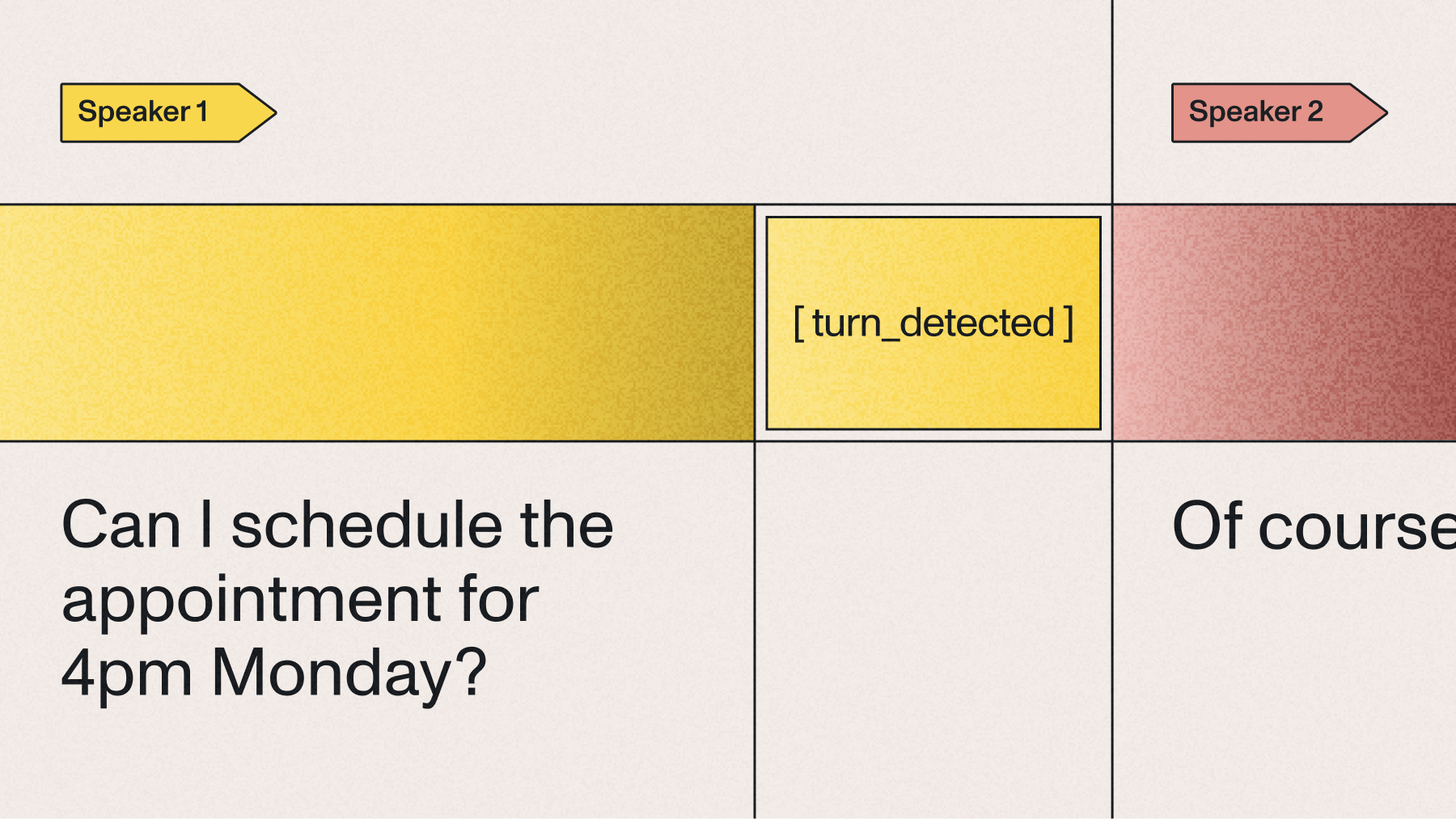
Time to complete turn (TTCT) is the one that decides how responsive your agent feels. It's the interval from when the speaker stops talking to when the final transcript segment arrives — the moment your LLM can actually act. Universal-3.5 Pro Realtime's end-of-turn detection reads how someone speaks — tonality, pacing, rhythm — not just silence, and lands around 300ms. That's the number to anchor on for turn-based conversation.
P50 vs. P95 is the distinction that separates demos from production. Median (P50) latency tells you the typical case. P95 tells you what one in twenty turns looks like — and in a real call, that tail is where conversations stall, agents talk over people, and the experience falls apart. A model with a great median and an ugly P95 will demo beautifully and frustrate users in production.
The real numbers
So where does Universal-3.5 Pro Realtime land? Accuracy claims are easy to make and hard to verify, so the honest test is real agent conversations, not clean read speech. On Pipecat's open STT benchmark — measured on actual voice agent audio — Universal-3.5 Pro Realtime posts a market-leading pooled word error rate of 6.99%, against Deepgram Flux at 15.58%, ElevenLabs Scribe v2 at 9.76%, and Google Chirp3 at 9.04%.
The gap widens on the tokens voice agents actually act on. Entity error rate tells you whether names, places, and numbers survive:
A 3.55% phone-number error rate is the difference between an agent that calls the right line back and one that invents a digit. Lower is better on every row, and the full methodology lives on /benchmarks.
Here's the part that ties latency and accuracy together. At end-of-turn detection around 300ms, transcription isn't your bottleneck — your LLM and TTS will each cost more than that. Shaving STT to 250ms doesn't make the loop feel meaningfully faster, because you've optimized the smallest slice. But losing the customer's policy number does break the call. Fast enough plus accurate beats fastest-but-wrong every time the conversation contains something that matters — and with this model you no longer trade one for the other.
How to hit your latency target
"Fast enough" is also tunable, which most benchmark comparisons miss entirely. Instead of hand-tuning a stack of low-level flags, Universal-3.5 Pro Realtime lets you pick a mode when you open the WebSocket:
min_latency for the fastest transcripts, when responsiveness is everything.
- balanced (the default) for strong all-around performance.
- max_accuracy for noisy, far-field audio where getting the words right is worth a little more time.
From there, the levers that move the finer numbers (our real-time transcription guide shows how to set them in code):
- interruption_delay controls TTFT — how soon the first partial lands. Drop it when you're running speculative inference or aggressive barge-in; raise it for fewer, more confident partials.
- min_turn_silence controls how quickly an end-of-turn check fires. Lower means snappier turn completion; the trade-off is that setting it too low can split entities like phone numbers mid-sequence — exactly the kind of accuracy loss that masquerades as a latency win.
- Speculative inference on partials lets your LLM start working off early partials instead of waiting for the final transcript, hiding STT latency behind reasoning you were going to do anyway.
- Pass agent_context. The model takes your agent's question as input, so the reply resolves with more context and fewer re-tries. Across a 20,000-file voice agent benchmark, passing agent context cut word error rate by 10.2% — accuracy you get without spending latency.
- Close your sessions. Streaming is billed on connection duration, not audio — a separate point from latency, but the same discipline of not leaving the pipe open.
The other free lever is infrastructure: Universal-3.5 Pro Realtime runs with unlimited concurrency, so your P95 doesn't degrade under load the way rate-limited services do. The latency you measure at one stream is the latency you get at a thousand. Production teams hit this wall when a model that benchmarked well on a single connection falls over at scale.
Don't optimize the wrong number
The most common mistake in voice-agent evals is picking the model with the lowest median latency on a slide and moving on. That decision ignores two things that decide real-world quality: the P95 tail that determines whether turns stall under load, and the entity accuracy that determines whether the transcript is worth acting on. For a deeper framework, our guide on how to evaluate speech recognition models covers measuring latency at the percentile and accuracy level you'll actually deploy at, and the Universal-3.5 Pro Realtime release notes detail the turn-detection design behind these numbers.
Set your latency budget from the full loop, not the STT line item. Decide what total response time feels natural for your agent, subtract realistic LLM and TTS costs, and you'll usually find STT has comfortable headroom around the 300ms range. Within that band, the right question stops being "which model is fastest" and becomes "which model is fast enough and gets the words right." That's the one that wins the eval that matters — the one your users run every time they talk to your agent.
The bottom line
Latency is the right thing to obsess over for voice agents, but "lowest number on the chart" is the wrong way to obsess over it. Anchor on time to complete turn, watch P95 not just the median, and measure latency and accuracy together — because a transcript that arrives 80ms sooner with a mangled account number is slower in every way that counts. Universal-3.5 Pro Realtime is built for that reality: end-of-turn detection around 300ms to stay out of your response budget's way, and a market-leading 6.99% pooled word error rate so the words it delivers in that time are the right ones. If you're evaluating, test it on streaming with your own audio at your own settings — the only benchmark that ever really mattered.
Frequently asked questions
What is the typical latency for real-time speech-to-text? It depends on what you measure. For voice agents, the metric that matters most is time to complete turn (TTCT) — the gap from when a speaker stops to when the final transcript arrives. Universal-3.5 Pro Realtime's end-of-turn detection reads tonality, pacing, and rhythm rather than silence alone and lands around 300ms. Fast streaming models generally aim for the sub-350ms range on turn completion.
How do latency requirements differ for real-time transcription versus batch? Batch (pre-recorded) transcription has no latency constraint — it optimizes purely for accuracy with the full file as context. Real-time streaming has to commit within a few hundred milliseconds from a short rolling window, so it's evaluated on TTFT and TTCT alongside accuracy. Don't compare a batch model's accuracy to a streaming model's; benchmark streaming at the latency you'll actually deploy at.
Can a voice agent respond in under 500ms? The full response loop is STT + LLM + TTS, so sub-500ms end-to-end is tight but the STT slice is small: Universal-3.5 Pro Realtime's end-of-turn detection lands around 300ms, and you can pull the first partial earlier (via interruption_delay) to start LLM inference sooner. Most of a sub-500ms budget is won or lost in the LLM and TTS stages and through speculative inference, not in shaving milliseconds off transcription.
Why isn't the lowest-latency model always the best choice for a voice agent? Because STT latency is only one slice of the response loop, and the words still have to be right. A model that's faster on median but misses entities — names, numbers, emails — produces wrong actions faster, not better conversations. Evaluate latency (especially P95) and entity accuracy together; on Pipecat's agent-conversation benchmark, Universal-3.5 Pro Realtime leads on both word error rate (6.99%) and entity error rate (15.31%).
What's the difference between P50 and P95 latency, and which should I track? P50 (median) is the typical turn; P95 is the slow one in twenty. For production voice agents, P95 is often more telling, because the tail is where conversations stall and the agent talks over the user. Universal-3.5 Pro Realtime runs with unlimited concurrency, so its tail latency holds under load instead of degrading the way rate-limited services do.
How do I tune Universal-3.5 Pro Realtime for my latency target? Start with a mode — min_latency, balanced (default), or max_accuracy — instead of hand-tuning low-level flags. From there, interruption_delay shapes how soon the first partial lands and min_turn_silence shapes how fast a turn completes. Pass agent_context to lift accuracy without spending latency, and run speculative inference on partials to hide STT latency behind LLM reasoning.
Lorem ipsum dolor sit amet, consectetur adipiscing elit, sed do eiusmod tempor incididunt ut labore et dolore magna aliqua. Ut enim ad minim veniam, quis nostrud exercitation ullamco laboris nisi ut aliquip ex ea commodo consequat. Duis aute irure dolor in reprehenderit in voluptate velit esse cillum dolore eu fugiat nulla pariatur.
Related posts
.png)