Building a production-ready voice agent: The developer's guide to real-time speech-to-text
Real time speech to text for voice agents with sub-300ms latency, immutable transcripts, and turn detection. Learn WebSocket setup, prompts, and testing.



Real-time speech-to-text for a voice agent is a WebSocket stream: you send 16kHz PCM audio in 20–50ms chunks and get partial transcripts back within a few hundred milliseconds, plus an end-of-turn signal telling your agent when to reply. Universal-3.5 Pro Realtime detects end of turn from tonality, pacing, and rhythm in roughly 300ms, and records 6.99% word error rate on the Pipecat open STT benchmark of real agent conversations.
That's the mechanical answer, and it's the easy part. The harder question is what a voice agent needs from that stream that a transcription product doesn't: entity accuracy over aggregate accuracy, finals that never revise, and a model that knows what your agent just asked. Those three decide whether your agent works. If you want a dictation or note-taking tool rather than an API to build on, we keep a separate roundup of the best real-time speech-to-text apps.
What does a voice agent need from a real-time speech-to-text API?
Four things, and only the first one is on most vendors' feature list.
Why latency matters
People take about 200 milliseconds to respond to each other in conversation. That's the bar, and nothing in a voice agent pipeline is going to hit it, so the goal is to stay close enough that the gap reads as thoughtful rather than broken.
The thing worth internalizing is which part of that budget the speech-to-text layer actually owns. It isn't transcription speed—partials come back fast on any competent streaming API. It's the end-of-turn decision: how long the model waits before it's confident the caller is done. That's the number that gates the LLM, which gates text-to-speech, which gates the caller hearing anything.
On Universal-3.5 Pro Realtime that decision lands at roughly 300ms and is made from tonality, pacing, and rhythm rather than a silence timer. Everything downstream waits on it, so it's the number to interrogate when you're comparing vendors.
Critical token accuracy vs general word accuracy
Word error rate averages every token equally, which is exactly wrong for a voice agent.
Buyers already know this is the pressure point. In AssemblyAI's 2026 Voice Agent Report, a survey of 455 practitioners fielded across Q4 2025 and Q1 2026, 76% chose speech-to-text accuracy as a non-negotiable capability—the highest-scoring answer in the set. 45% reported frequently misheard words in the agents they run, and 66% named background-noise handling as a priority, which is the same problem arriving through a different door.
Miss "the" and nothing happens. Miss a digit in a phone number and you call the wrong person. Miss a letter in an email address and the confirmation never arrives. Miss "no" and hear "yes" and you've just confirmed a charge the caller declined. Aggregate accuracy tells you almost nothing about how often your agent will do the wrong thing.
So here's the measured version, on the Pipecat open STT benchmark of real agent conversations. Lower is better throughout:
Notice how differently the two rows rank the field. Google Chirp3 and ElevenLabs Scribe v2 are within a point of each other on word error rate and nearly 20 points apart on entity error rate. If you evaluate on aggregate word error rate alone you will pick the wrong model roughly as often as not.
Foysal Osmany, Software Engineer at Fireflies, on running that evaluation for a production agent pipeline:
"We were searching for the best realtime ASR model for our voice agent pipeline in Fireflies. The new Universal 3.5 Pro speech model from Assembly is best so far in terms of accuracy, latency and language switching."
Turn detection
Your agent needs to know when the caller stopped, and silence is a bad proxy for that—it clips people who pause to think and fires on background speech. Universal-3.5 Pro Realtime makes the call from the speech itself, at about 300ms, with mid-entity endpointing on by default so phone numbers and spelled-out emails don't get split across turns.
That's the short version. The full treatment—VAD versus forced endpoints versus semantic endpointing, when to override the model, and how to bring your own detector—is in our guide to voice agent turn detection.
Why transcript immutability matters
A transcription product can revise. A voice agent can't, because it already acted.
If your transcript says "cancel my appointment" and gets corrected to "can't cancel my appointment" four hundred milliseconds later, the cancellation already fired. Now you're writing compensating logic, and your database and your recording disagree about what the customer said.
So finals need to be final. That constraint is why voice agent transcription is architecturally different from batch transcription, and it's the reason the end-of-turn decision has to be good rather than fast—a wrong turn boundary isn't a formatting issue, it's an action taken on half a sentence.
The one place revision is genuinely useful is speaker labeling, where the trade is different: diarization with revision labels speakers live, then sends a single correction within about half a second of the stream ending, for up to 10 speakers. That correction lands after the conversation, not during it, so nothing acted on bad data. More on that in streaming speaker diarization.
Which speech-to-text model should you use for a voice agent?
Universal-3.5 Pro Realtime, unless you have a specific reason not to. Here's the whole current line-up so you can check whether you do:
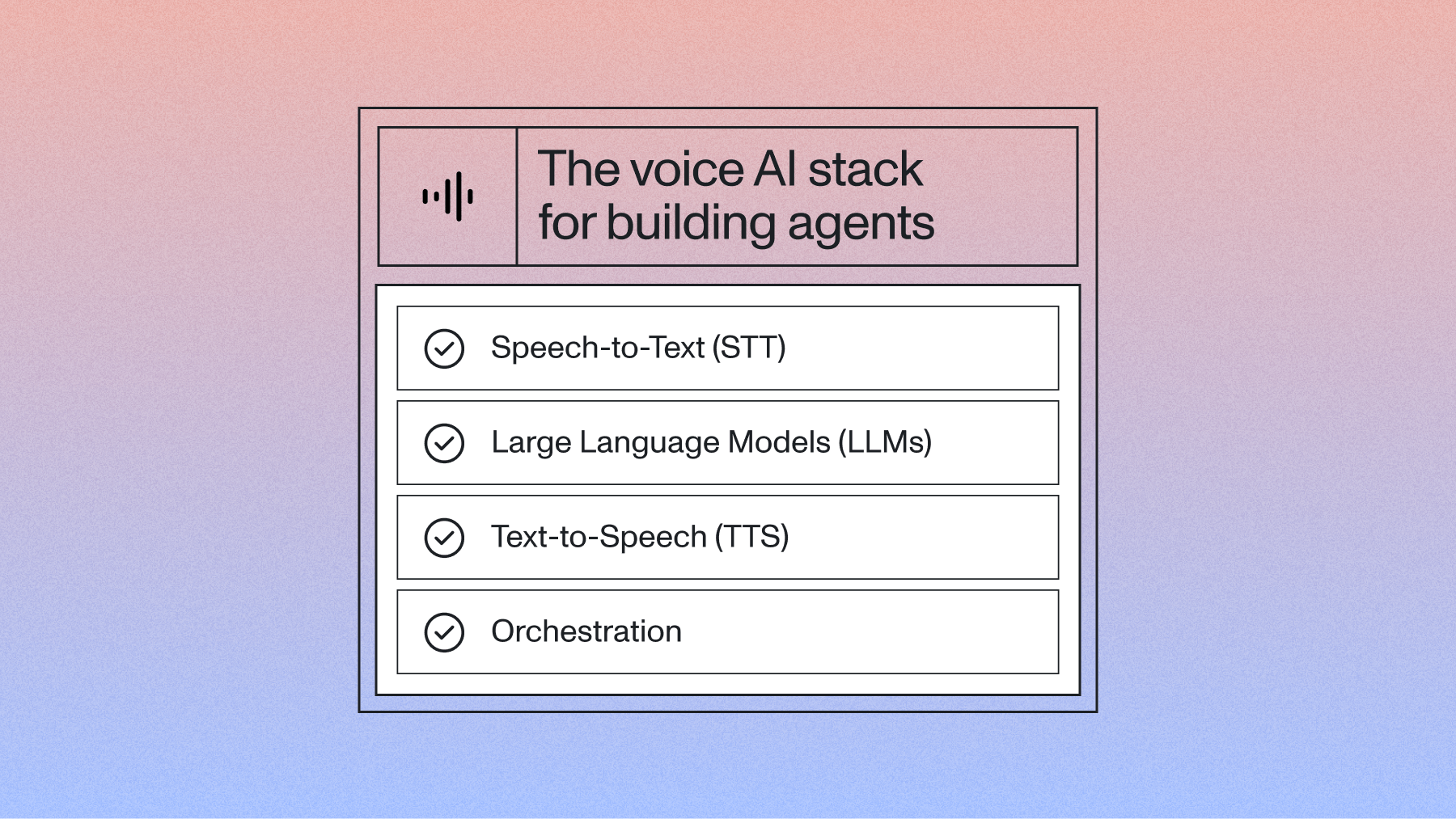
Speech-to-text, LLM, and text-to-speech in one connection
Four notes on that table that matter more than the rows themselves.
The cheap tier costs you noise suppression. voice_focus is force-disabled on non-Universal-3.5-Pro streaming models. If you take the cost-optimized recommendation for a call-center or drive-thru deployment, you silently lose the feature that was handling your background noise. That's a bigger deal than the per-hour difference.
The Sync API is the option most people don't know exists. One request, one transcript, no submit-and-poll and no WebSocket, aimed at short clips rather than continuous conversation. There's also a warm endpoint for pre-warming the connection. For short discrete utterances—a voice search box, a single field capture—it's simpler than either of the alternatives. It is not on the public pricing page, so confirm the rate and the file-size and duration limits with us before you build on it.
Add-ons are priced separately and most agents need one or two. Streaming diarization is +$0.12/hr and Voice Focus is +$0.10/hr, and Voice Focus only exists on Universal-3.5 Pro Realtime. Keyterms prompting is included at no extra cost on the flagship, which is not true of the async line.
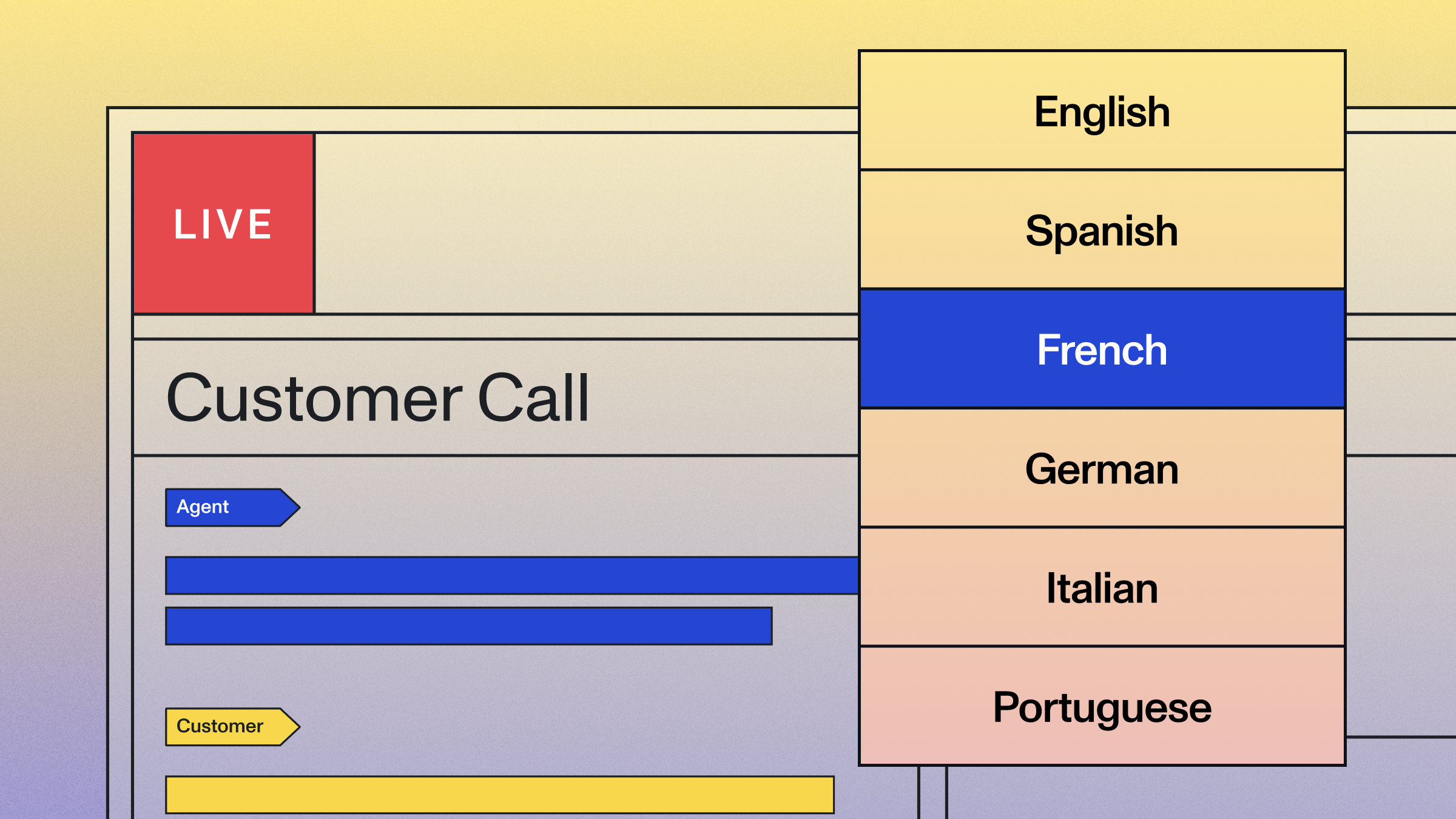
Language coverage is 18. Mid-sentence code-switching is native, Hinglish included, and you don't configure anything to get it. If your callers speak something outside those 18, that's a Whisper-Streaming decision rather than a tuning decision. More on the multilingual path in our multilingual voice agent guide.
How do you implement real-time speech-to-text in a voice agent?
WebSocket streaming implementation
Audio goes out as 16kHz 16-bit PCM mono in 20–50ms chunks. Transcripts come back as Turn messages, with end_of_turn marking a finalized turn and end_of_turn_confidence telling you how sure the model is. This targets Python SDK 1.0.0, which unified the async, streaming, and sync clients:
Python:
import os
from assemblyai.streaming.v3 import (
    RealTimeEvents,
    RealTimeParameters,
    RealTimeTranscriber,
    RealTimeTranscriberOptions,
    TurnEvent,
)

def on_turn(client: RealTimeTranscriber, event: TurnEvent):
    if not event.end_of_turn:
        return  # partial -- update the UI, don't trigger the agent
    if event.end_of_turn_confidence < 0.5:
        # Marginal. Hold briefly rather than acting on it.
        return hold_for_more_speech(event.transcript)
    trigger_agent(event.transcript)

client = RealTimeTranscriber(
    RealTimeTranscriberOptions(terminate_timeout=30.0),
    api_key=os.environ["ASSEMBLYAI_API_KEY"],
)
client.on(RealTimeEvents.Turn, on_turn)

client.connect(
    RealTimeParameters(
        sample_rate=16000,
        speech_model="universal-3-5-pro",
        mode="balanced",           # min_latency | balanced | max_accuracy
        voice_focus="far-field",   # "near-field" for headsets and handsets
        language_codes=["en", "es"],
        speaker_labels=True,
    )
)
Note the naming: the parameter is voice_focus with an underscore, and its values are hyphenated. Getting that backwards is a silent config failure rather than an error.
Not using an SDK? Connect straight to wss://streaming.assemblyai.com/v3/ws with your key in the Authorization header, no Bearer prefix. You then own the connection, the audio source, the Begin / Turn / Termination messages, and session termination. The EU endpoint is streaming.eu.assemblyai.com at the same price.
One billing detail that catches everyone: streaming bills on how long the WebSocket stays open, not on how much audio you send. Sessions auto-close after three hours and you're charged for all of it, so always terminate explicitly.
Give the model your agent's context
This is the single highest-leverage thing on this page and most integrations don't do it.
Your agent knows what it just asked. The transcriber, by default, doesn't. Pass the agent's own last reply in as agent_context and the model transcribes the answer knowing what shape the answer should take—after "what's your email address?" it produces "user@assemblyai.com" instead of "user at assemblyai dot com."
The numbers: across a benchmark of 20,000 voice agent audio files, passing agent context cut word error rate by 10.2%. Fabrications dropped 18.3%, hallucinations 17.2%, place-name entities 15.5%, short-utterance errors 13.7%, name entities 9.4%, and medical entities 9.4%.
Short utterances are the headline. "Yes," "7pm," a single surname—these are most of what a caller says and they're where context-free transcription is weakest, because there simply isn't enough signal in 200 milliseconds of audio to disambiguate.
Three things to know about wiring it up:
- Context Carryover handles the user half automatically. Prior finalized user turns are carried forward with no configuration, on by default.
- Push it mid-stream with one call. On the AssemblyAI SDK that's client.set_params(RealTimeSessionParameters(agent_context=...)). On Pipecat, including the standard assistant aggregator in your pipeline feeds each bot reply in for you; on livekit-agents 1.6.6+, the session forwards it automatically—don't set a carryover parameter by hand, it'll be overwritten.
- It's included in the base price. agent_context, Context Carryover, and keyterm prompting cost nothing extra. Diarization with revision (+$0.12/hr), general prompting (+$0.05/hr), and Voice Focus (+$0.10/hr) stack only if used—see the pricing page.
Session controls worth knowing about
Four production features that don't show up in most integrations:
Mid-stream language steering. language_codes can be set at connect or updated mid-stream without reconnecting, and native code-switching still applies within the set you give it. Useful when your agent learns the caller's language two turns in.
AAC audio input. Set encoding=aac for ADTS-framed audio and network I/O drops to roughly a sixth of raw PCM. If you're running high concurrency or streaming from mobile, that's real money and real reliability.
Heartbeat. An opt-in message that distinguishes "the session is alive and the caller is silent" from "the session is stalled." Without it those two states look identical from your side, which makes reconnect logic guesswork.
Speaker revisions. With speaker_labels on, turns carry a speaker_label and the stream sends a SpeakerRevision message when re-clustering changes an earlier label, so you can correct a transcript you have already displayed.
Integration with orchestration frameworks
Pipecat, LiveKit Agents, and Vapi all take a streaming speech-to-text provider as the transcription stage, so the same connection drops into any of them and the framework handles transport, turn-taking, and interruption. AssemblyAI is the default speech-to-text in LiveKit's starter voice agents.
The one decision you should make deliberately rather than inherit from a default is who owns the turn boundary—the framework's VAD or the model's detector. Both are supported; picking by accident is how agents end up interrupting people.
Python, Pipecat (requires pipecat-ai 1.4.0+):
from pipecat.services.assemblyai.stt import AssemblyAISTTService

stt = AssemblyAISTTService(
    api_key=os.environ["ASSEMBLYAI_API_KEY"],
    settings=AssemblyAISTTService.Settings(
        model="universal-3-5-pro",
        mode="balanced",
        voice_focus="far-field",
        keyterms_prompt=["Acme Health", "metformin", "prior authorization"],
    ),
    # True  -> Pipecat's VAD + Smart Turn decide the boundary (plugin default)
    # False -> AssemblyAI's own detector decides, and emits SpeechStarted
    #          for fast barge-in. Pick one on purpose.
    vad_force_turn_endpoint=False,
)

# agent_context is fed automatically as long as your pipeline includes
# the standard assistant aggregator. No event wiring needed.
On LiveKit the equivalent switch is turn_detection="stt" inside TurnHandlingOptions, against LiveKit's own MultilingualModel(). Both work on livekit-agents 1.6+. We compared the orchestration frameworks separately.
And if you'd rather not assemble speech-to-text, an LLM, and text-to-speech at all, the Voice Agent API runs the whole loop over one WebSocket at a flat $4.50/hr, built on this same model.
Open-source vs hosted streaming speech-to-text for voice agents
Self-hosted Whisper-style setups are a legitimate option and they're all over this SERP, so let's be straight about the trade rather than pretending it doesn't exist.
What self-hosting genuinely buys you: data never leaves your infrastructure, per-hour cost approaches your own compute cost at high volume, and nobody can deprecate your model out from under you.
What it costs: you now own concurrency. A hosted streaming API absorbs a Monday-morning call spike; a GPU pool does not, and autoscaling GPUs for latency-sensitive workloads is its own engineering project. You also own the accuracy gap—open Whisper variants were not trained for real agent conversations, and entity accuracy is exactly where that shows. And you own end-of-turn detection entirely, because most open stacks give you VAD and stop there. Our write-up on self-hosting Whisper goes through the operational side in detail.
There's a middle path people forget: AssemblyAI self-hosting exists, and it's streaming-only. It supports the current streaming model, prompting, and keyterms—but not medical mode, PII redaction, voice focus, or speaker diarization. If your reason for self-hosting is data residency rather than cost, check whether EU data residency (streaming.eu.assemblyai.com, same price, data stays in the EU) solves it first. It usually does, and it's a configuration change rather than an infrastructure project.
What are the technical requirements for production voice agents?
Testing latency and accuracy
Measure the complete path from audio input to action triggered, not the API's response time. The API is rarely your problem; the seams between components usually are.
Track p50, p75, and p95, and pay attention to p95 specifically—the median tells you how it feels in a demo, the tail tells you how it feels to the caller who churns. Build a test set from your actual audio, and make sure it includes the four cases that break agents:
- Long entities. Phone numbers, emails, account IDs, addresses read out loud with natural pauses.
- Very short answers. "Yes," "no," "mmhmm," a single first name. Test these with and without agent_context and you'll see why it matters.
- Domain vocabulary. Product names, drug names, internal jargon. Add them with keyterm prompting.
- Real speech. Hesitation, self-correction, filler words, and background noise at the level your callers actually have. Studio-clean test audio will make any model look fine.
Monitoring and debugging in production
Four metrics are enough to catch most regressions: latency percentiles, entity accuracy on a sampled set, turn-detection rates (both false interruptions and excessive waits), and connection health.
Alert on latency above your p95 baseline rather than a round number, and on entity accuracy drift rather than aggregate word error rate—WER moves too slowly to catch a problem that's already annoying callers.
When something's wrong, the diagnosis usually falls out fast. Agent interrupting? Move from min_latency toward balanced or max_accuracy, and check you're passing agent context. Agent feels slow? Move the other way. Entities mangled? Keyterm prompting, and confirm mid-entity endpointing is doing its job. Sessions dropping? Enable Heartbeat so you can tell a stall from a silence. Those four cover most of what goes wrong in production.
Final words
The framing this post started with a year ago was "pick the fastest model and tune the thresholds." That framing is now wrong in an interesting way.
It's wrong because the biggest accuracy gain available to a voice agent right now isn't a better model—it's telling the model what your agent just said. A 10.2% word error rate reduction from one parameter is larger than the gap between most vendors on this SERP, and it costs nothing. The transcription layer stopped being a passive component that receives audio and started being something your agent talks to.
Which changes what "integrating a speech-to-text API" even means. It used to be a one-way pipe: audio in, text out, done. Now the highest-value integrations are bidirectional—your agent's question shapes the next transcript, the confidence on that transcript shapes what your agent does next, and the loop tightens. Teams still treating streaming speech-to-text as a pipe are leaving most of the accuracy on the table, and they'll keep evaluating vendors on a benchmark that doesn't measure the thing that would actually fix their agent.
Frequently asked questions
How do you do real-time speech-to-text for a voice agent?
Open a WebSocket to wss://streaming.assemblyai.com/v3/ws and stream 16kHz 16-bit PCM mono audio in 20–50ms chunks. You get partial transcripts back within a few hundred milliseconds and an end-of-turn signal that tells your agent when to reply. Universal-3.5 Pro Realtime lands end of turn in roughly 300ms by reading tonality, pacing, and rhythm.
Which speech-to-text model should I use for a voice agent?
Universal-3.5 Pro Realtime, model id universal-3-5-pro, at $0.45/hr base. On the Pipecat open STT benchmark of real agent conversations it records 6.99% word error rate and 15.31% entity error rate, versus 15.58% and 50.50% for Deepgram Flux. The $0.15/hr Universal-Streaming tiers remain available, but voice_focus is force-disabled on them, so noisy deployments should stay on the flagship.
What makes real-time speech-to-text different from batch transcription?
Batch transcription optimizes for the final transcript; real-time optimizes for the moment the agent has to respond. That means partial results while the caller is still speaking, an explicit end-of-turn signal, and billing on WebSocket session duration rather than audio duration. It also means you cannot revise the whole transcript after the fact — the agent has already acted on it.
How much does real-time speech-to-text cost for a voice agent?
Universal-3.5 Pro Realtime is $0.45/hr base, billed on WebSocket session duration. agent_context, Context Carryover, and keyterm prompting are included; diarization with revision (+$0.12/hr), general prompting (+$0.05/hr), and Voice Focus (+$0.10/hr) stack only if used. The Voice Agent API bundles speech-to-text, the LLM, and text-to-speech at a flat $4.50/hr.
Why does my voice agent keep interrupting users mid-sentence?
Because it is deciding from silence rather than from the speech itself. Semantic end-of-turn detection on Universal-3.5 Pro Realtime reads tonality, pacing, and rhythm, and the balanced or max_accuracy mode gives hesitant speakers room. Passing agent_context cut short-utterance errors 13.7% across 20,000 voice agent audio files, and mid-entity endpointing keeps phone numbers and emails inside a single turn.
Which voice agent frameworks work with real-time speech-to-text APIs?
Pipecat, LiveKit Agents, and Vapi all accept a streaming speech-to-text provider as the transcription stage, so the same WebSocket connection drops into any of them. AssemblyAI is the default speech-to-text in LiveKit's starter voice agents. The framework handles transport, turn-taking, and interruption; the speech-to-text API supplies transcripts, the end-of-turn signal, and conversation context.
Lorem ipsum dolor sit amet, consectetur adipiscing elit, sed do eiusmod tempor incididunt ut labore et dolore magna aliqua. Ut enim ad minim veniam, quis nostrud exercitation ullamco laboris nisi ut aliquip ex ea commodo consequat. Duis aute irure dolor in reprehenderit in voluptate velit esse cillum dolore eu fugiat nulla pariatur.
Related posts